 RELIX
Platform Design & Development
Student Upload Platform
A WordPress workflow for student submissions, mentor reviews, and feedback.
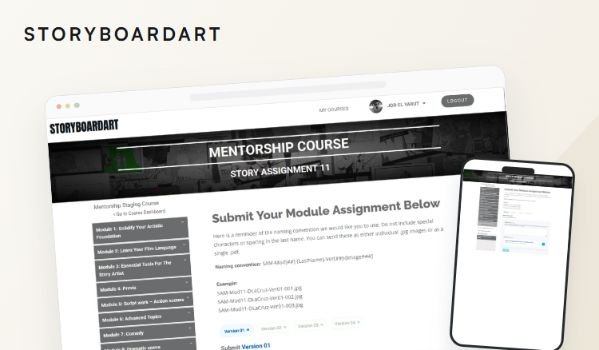
I built this for StoryboardArt to move student assignment files into Google Drive and connect the upload process with mentor tasks and feedback.
What needed to change
Student uploads were taking up more space on the hosting server. The initial goal was to move those files into Google Drive so they would no longer keep adding to the server’s storage.
But the files were only one part of the process. Students submitted assignments, mentors received tasks in Asana, and reviews involved Loom videos and written feedback. Those steps needed to stay connected.
I worked within the existing WordPress membership site and the tools the team already used.
What I built
I designed and built the student upload interface, submission history, mentor search tools, and feedback dashboard. I also connected the automations that move information between them.
The workflow follows a simple path:
- A student uploads an assignment to Google Drive.
- The automation creates an Asana task for the assigned mentor.
- The mentor reviews the work and submits a Loom video and written notes.
- The student receives an email and can revisit the feedback inside WordPress.
The aim was to keep the assignment details together throughout that process.
Making uploads easier to follow
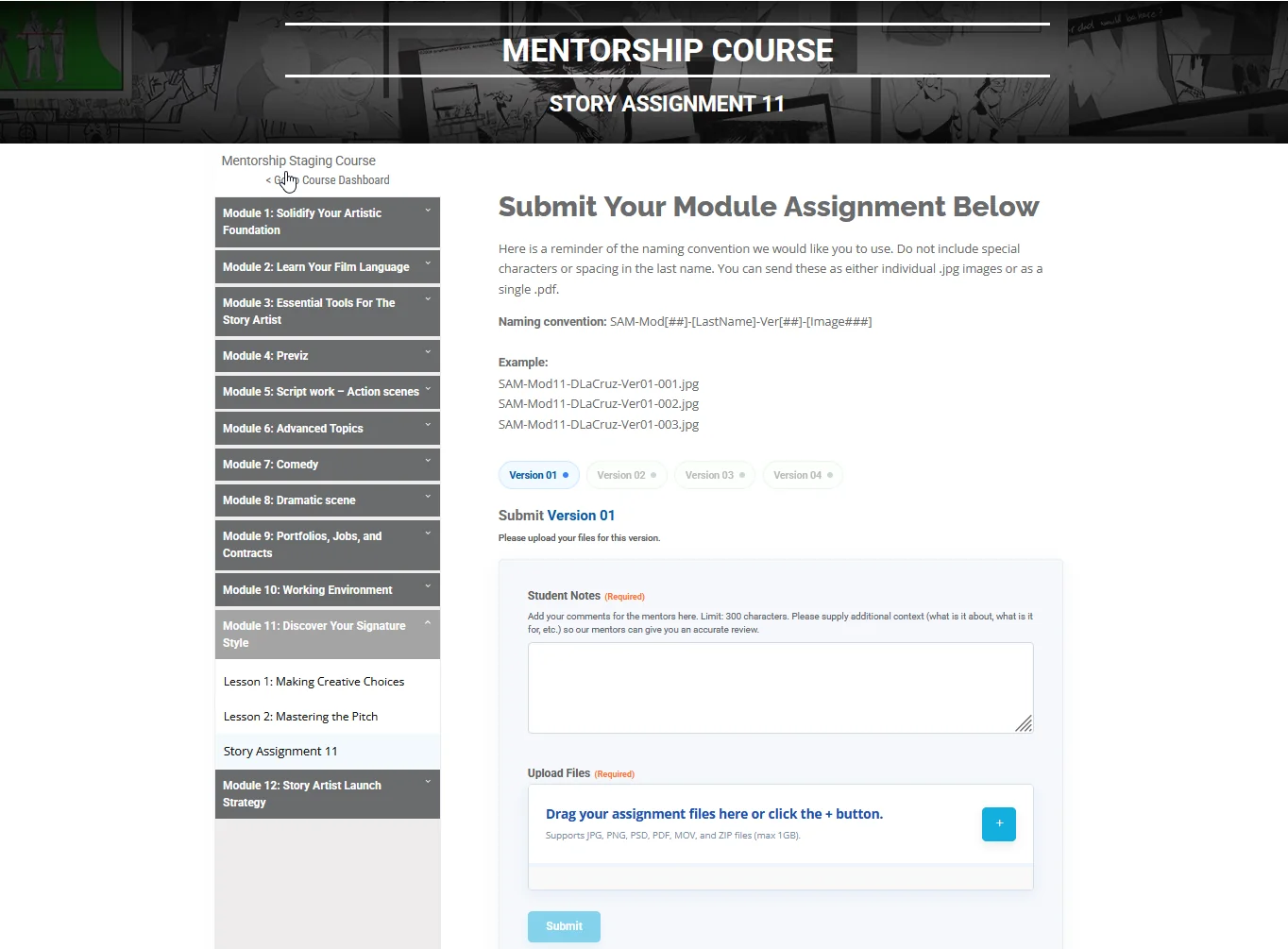
Assignments had multiple revision rounds and specific filename requirements. I wanted students to know which version to submit and catch file problems before uploading.
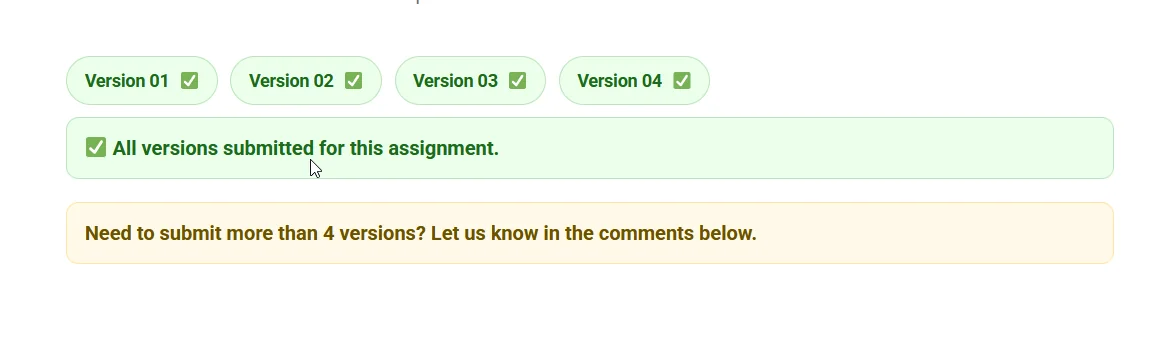
Show the next available revision
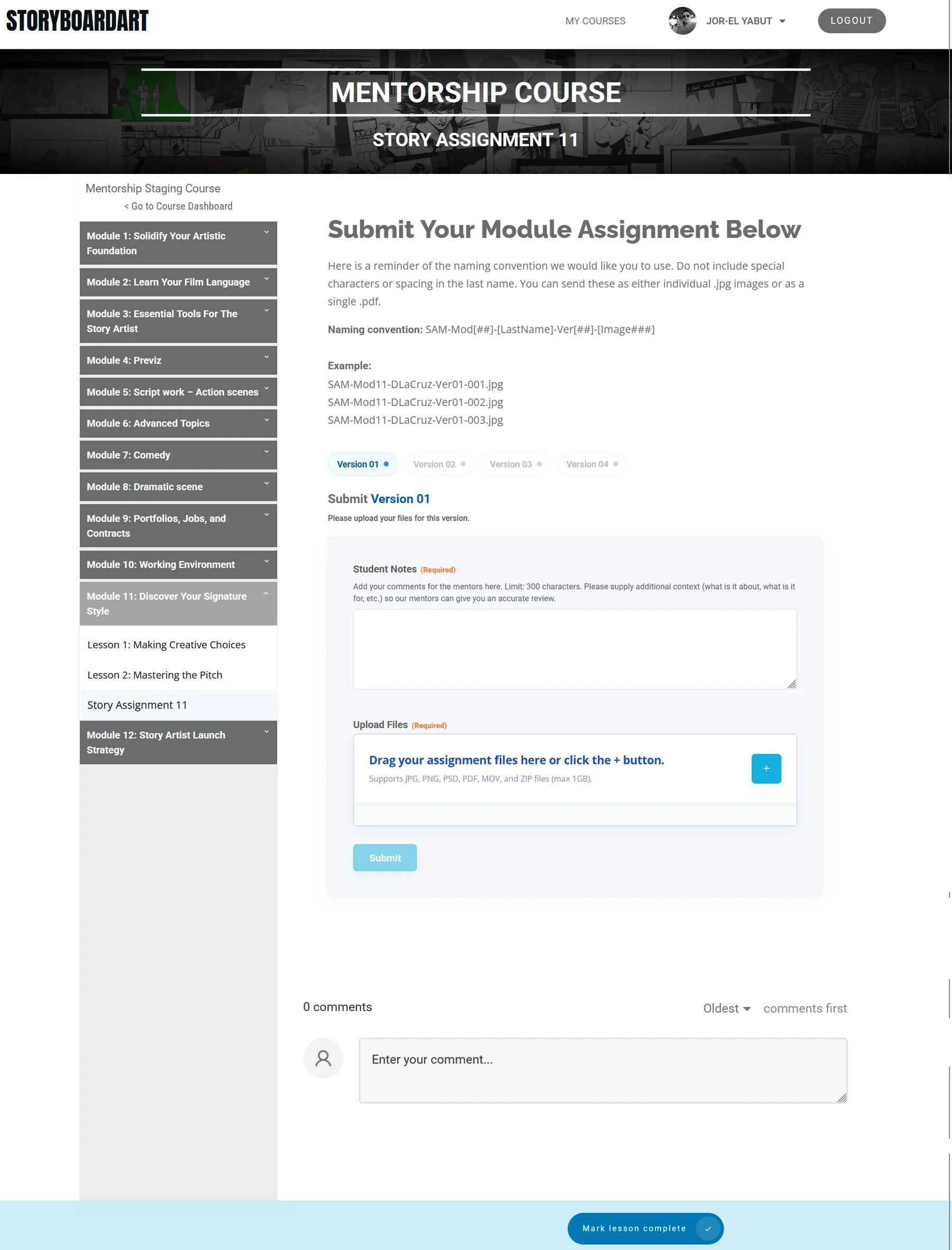
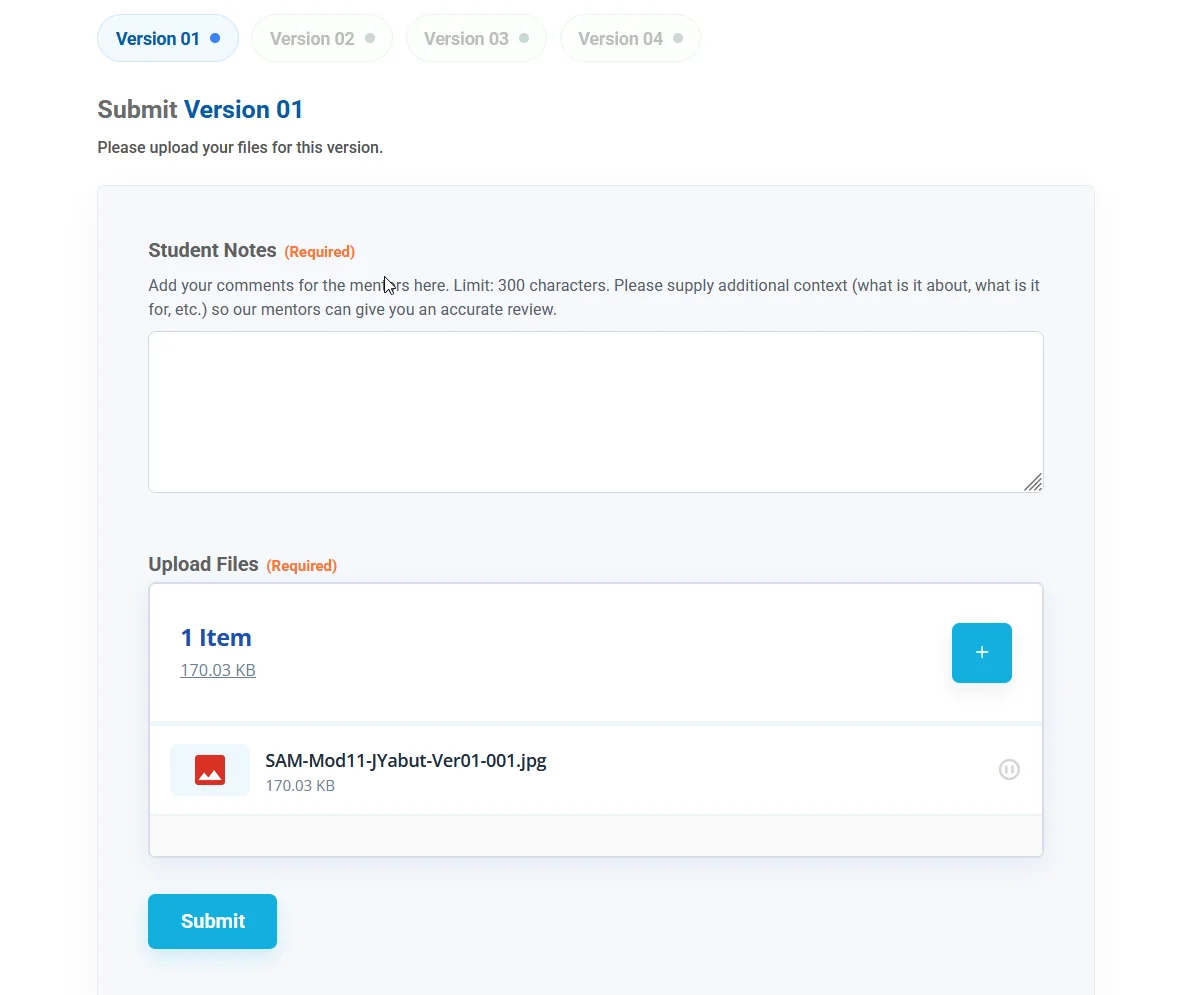
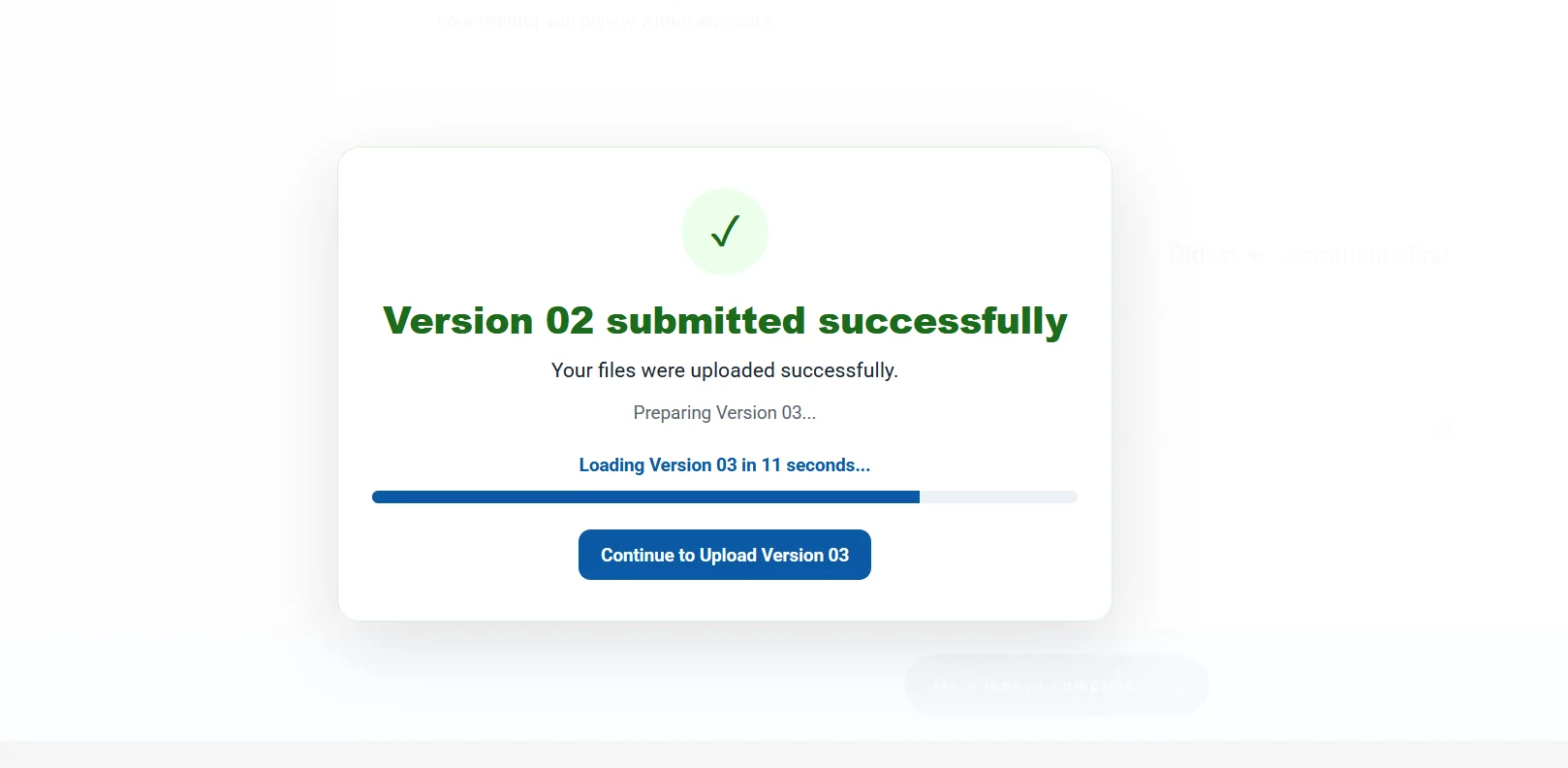
I made the uploader show completed revisions, the current revision, and the ones still locked.
After a successful submission, the next revision becomes available. This gives students a clear next step without asking them to choose from every version at once.
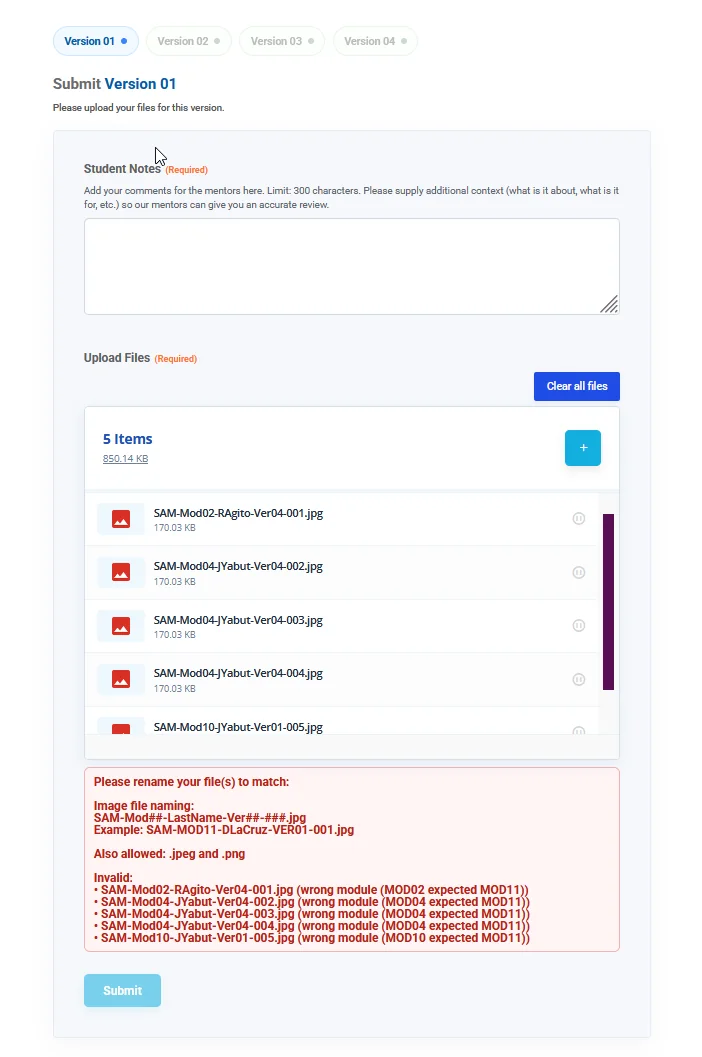
Check filenames before uploading
One issue was that a file could reach Google Drive before the form rejected its filename.
I added a check before the upload starts, with another check on the server. Students can correct filename problems earlier, instead of finding out after the file has already transferred.
Keep submissions and feedback easy to find
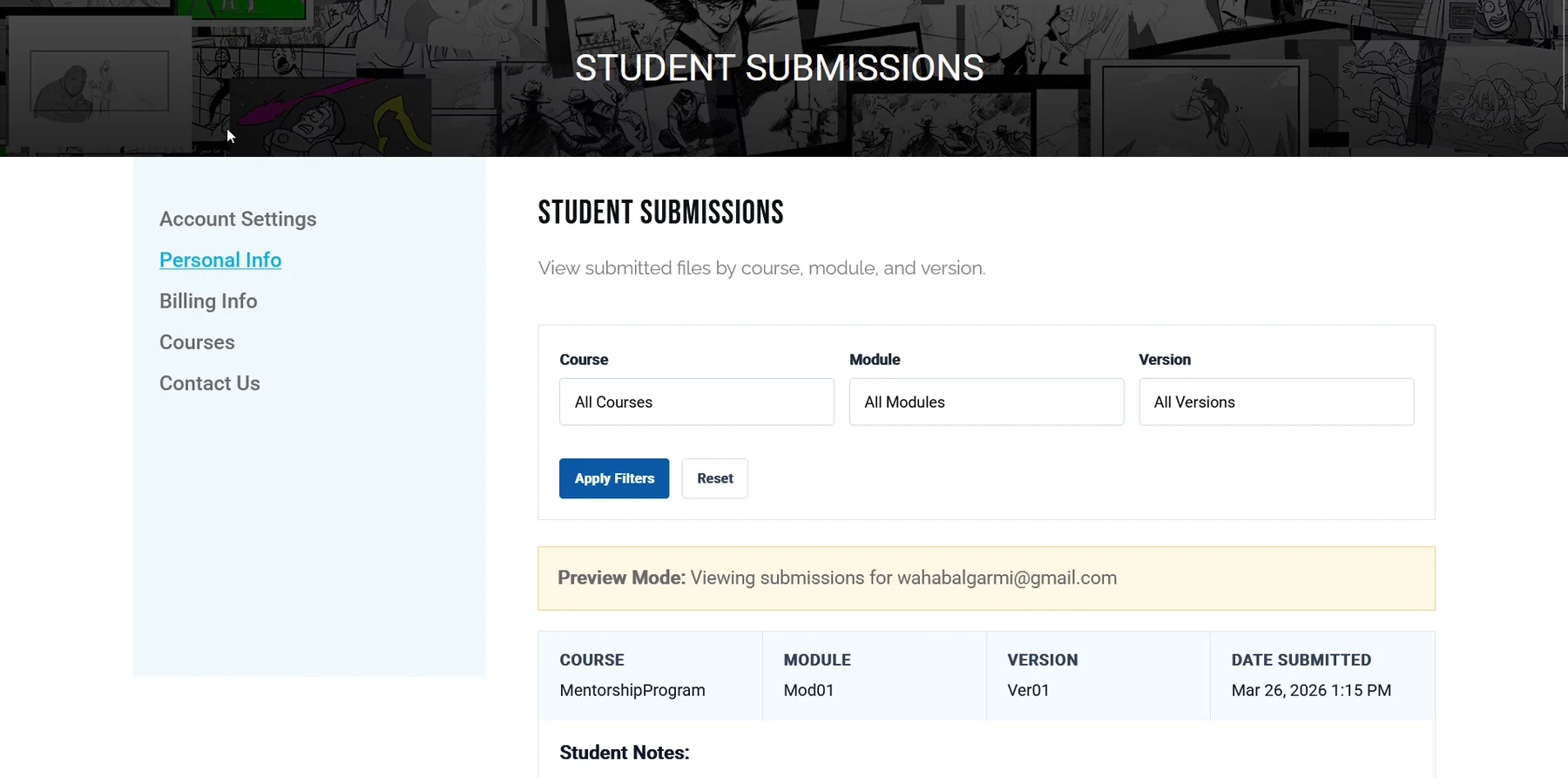
Submission history
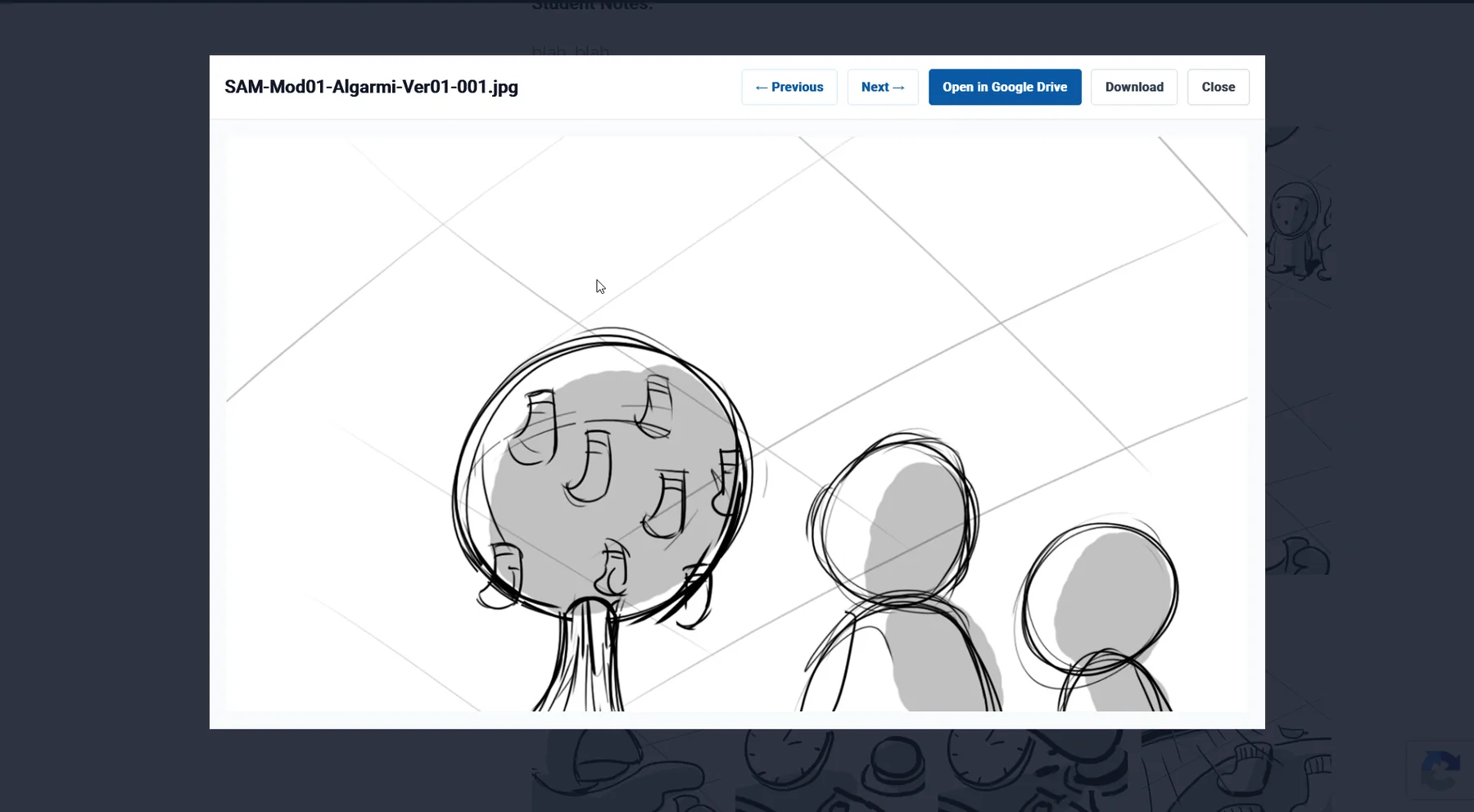
I built a private submission history where students can check their uploaded files and notes.
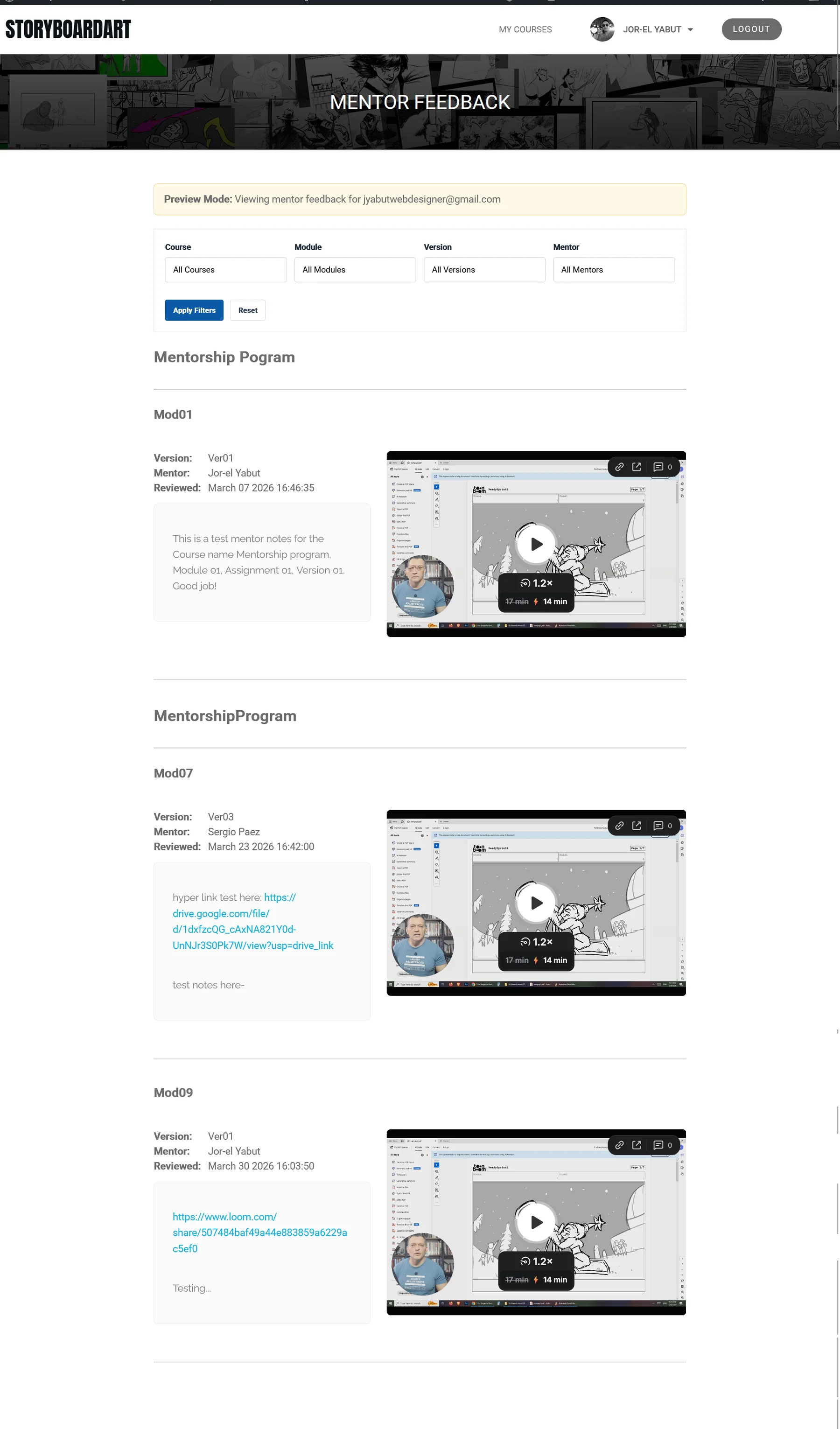
Feedback dashboard
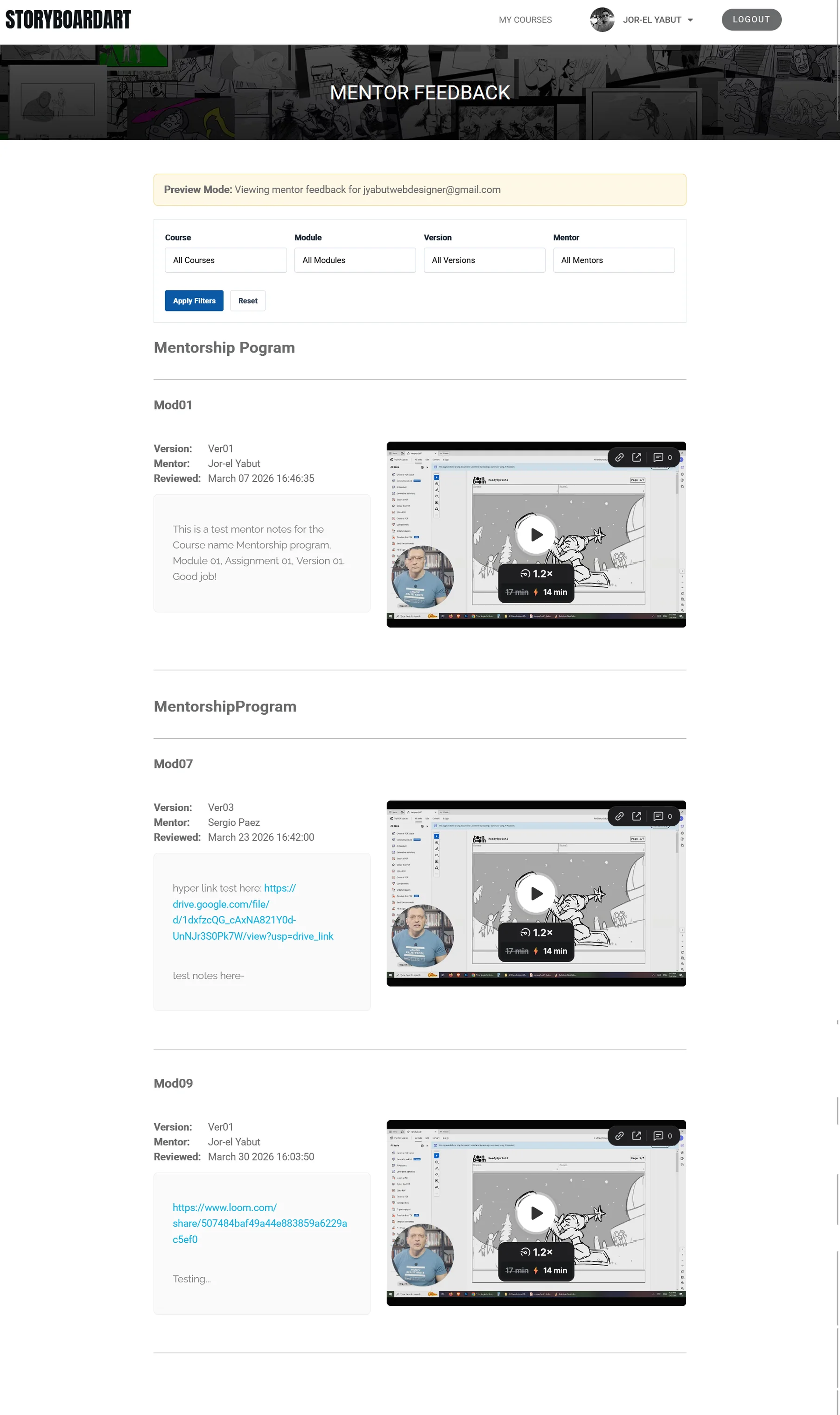
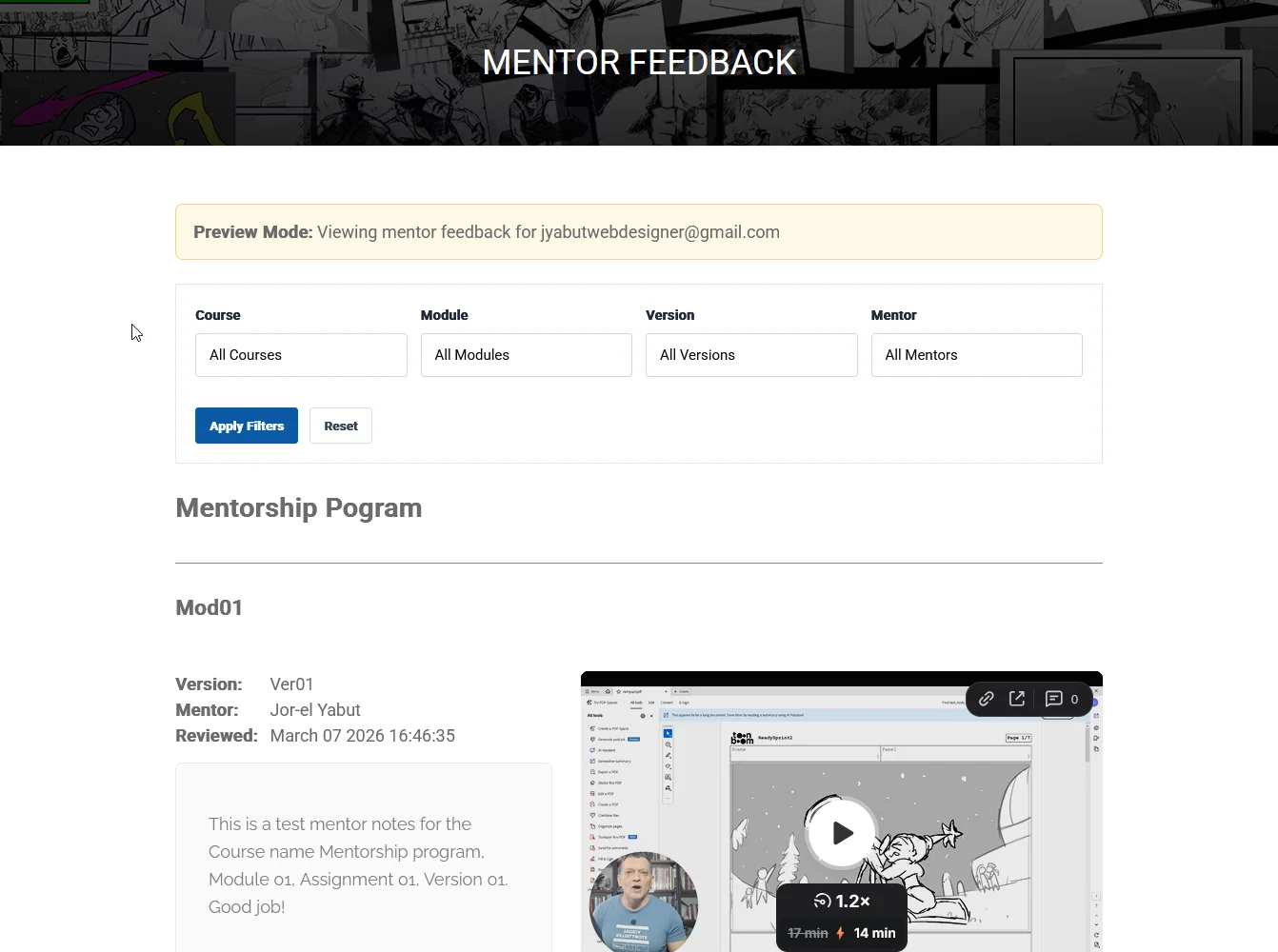
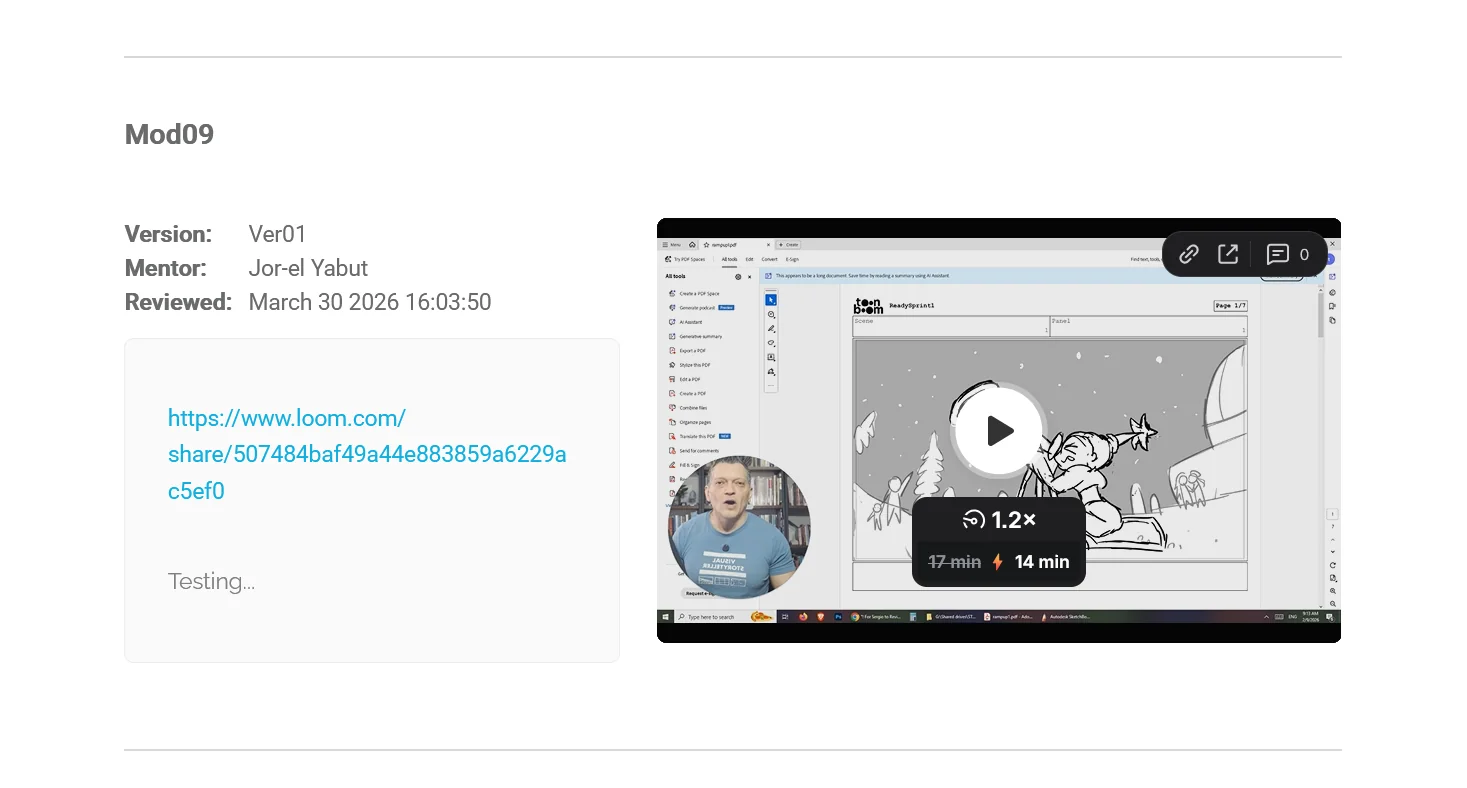
I also created a feedback dashboard that brings the assignment details, mentor’s notes, and Loom review together. Students can return to their previous work and feedback from the same place.
Connecting the mentor workflow
Mentors needed the right files and assignment details when they received a review task.
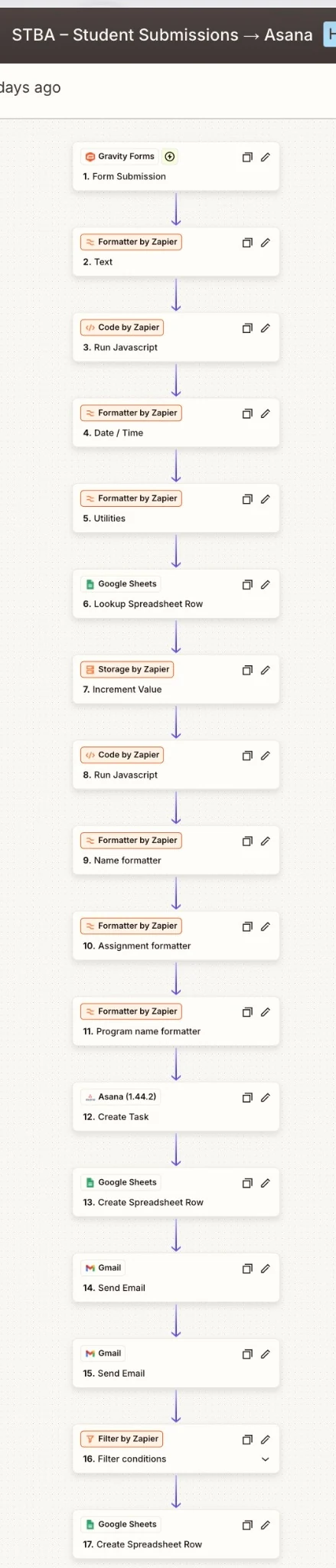
I connected the submission data to Asana and Google Sheets, including the student, assignment, revision, file link, and assigned mentor. The automation also rotates assignments between reviewers.
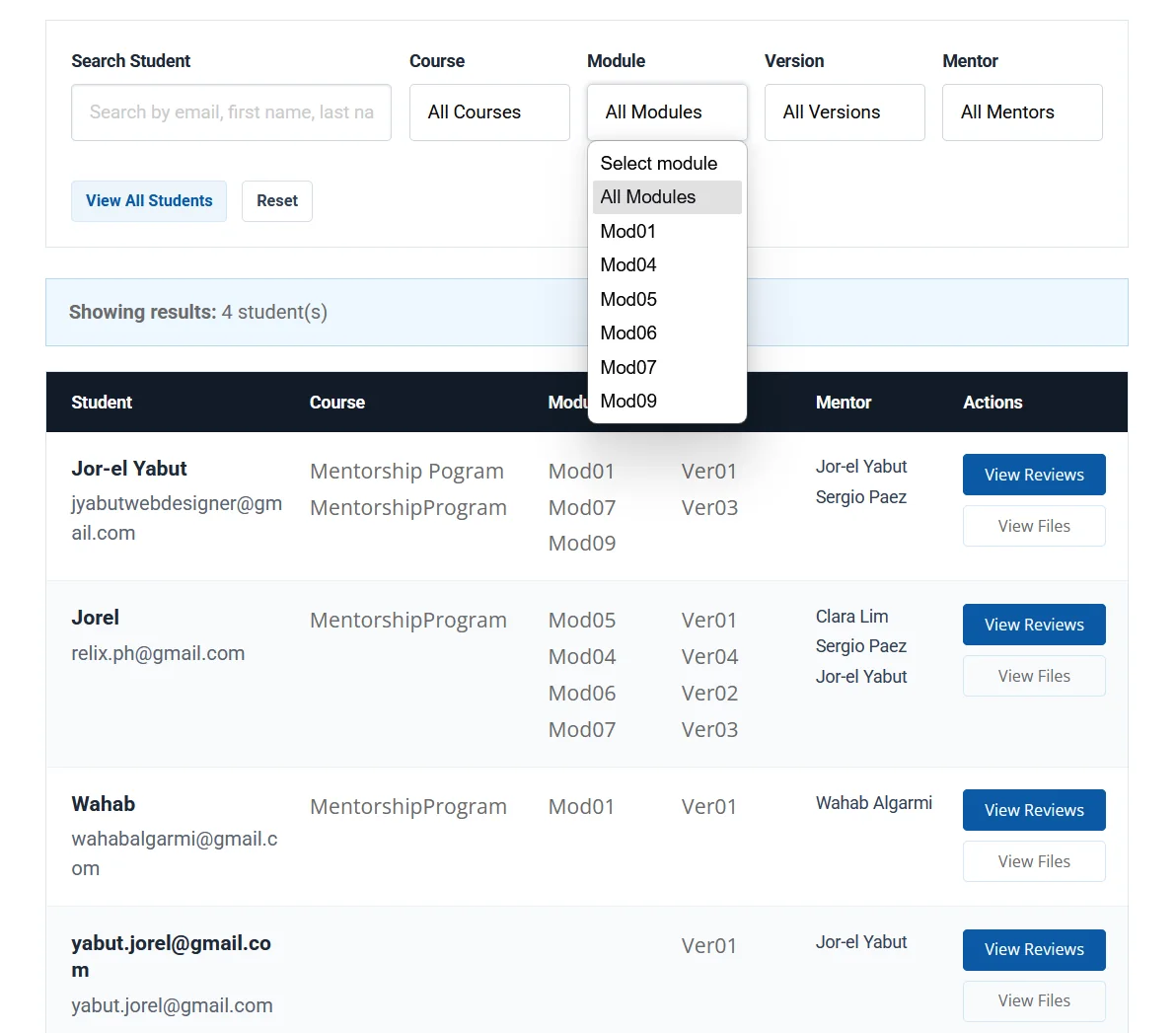
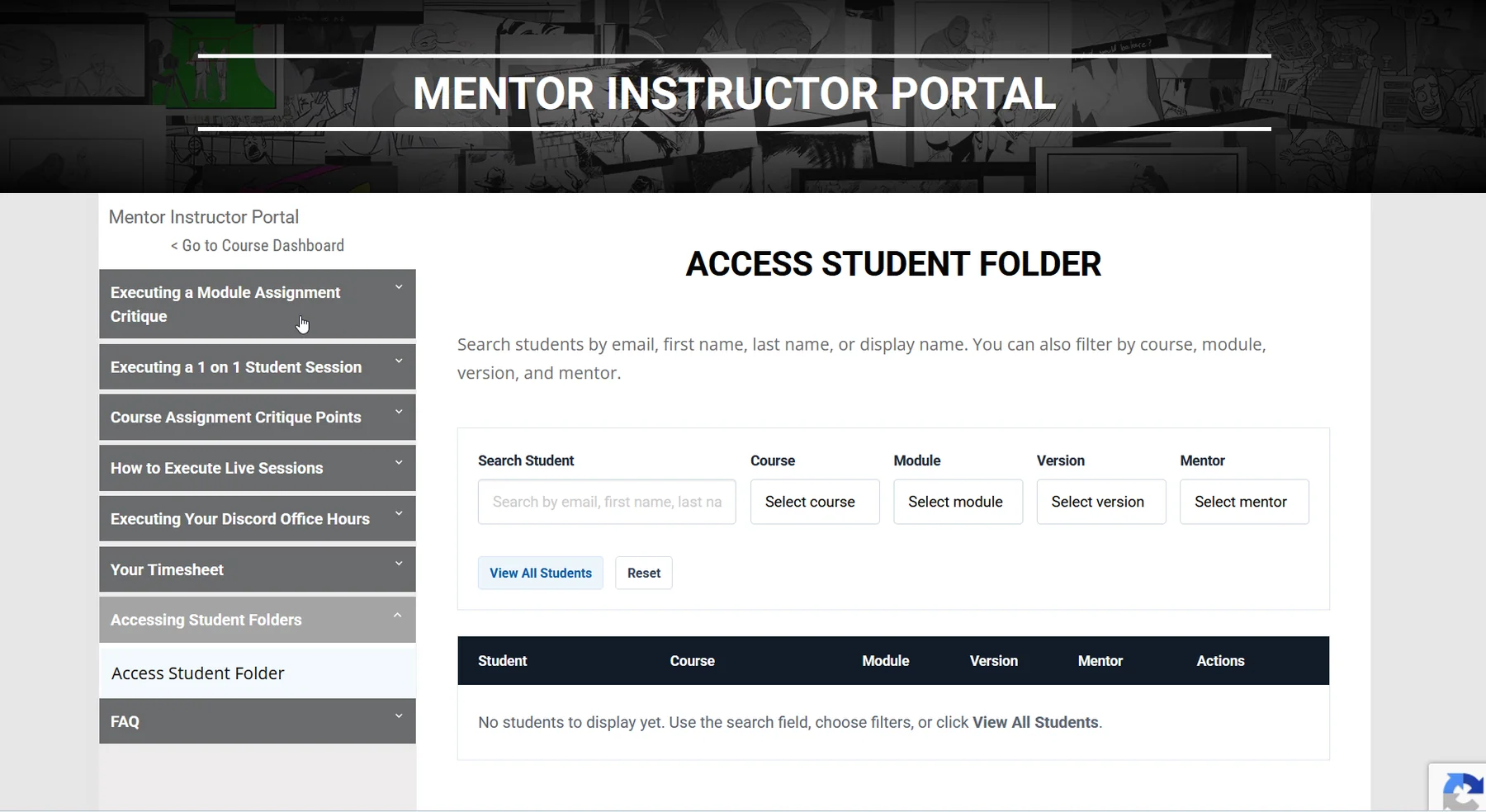
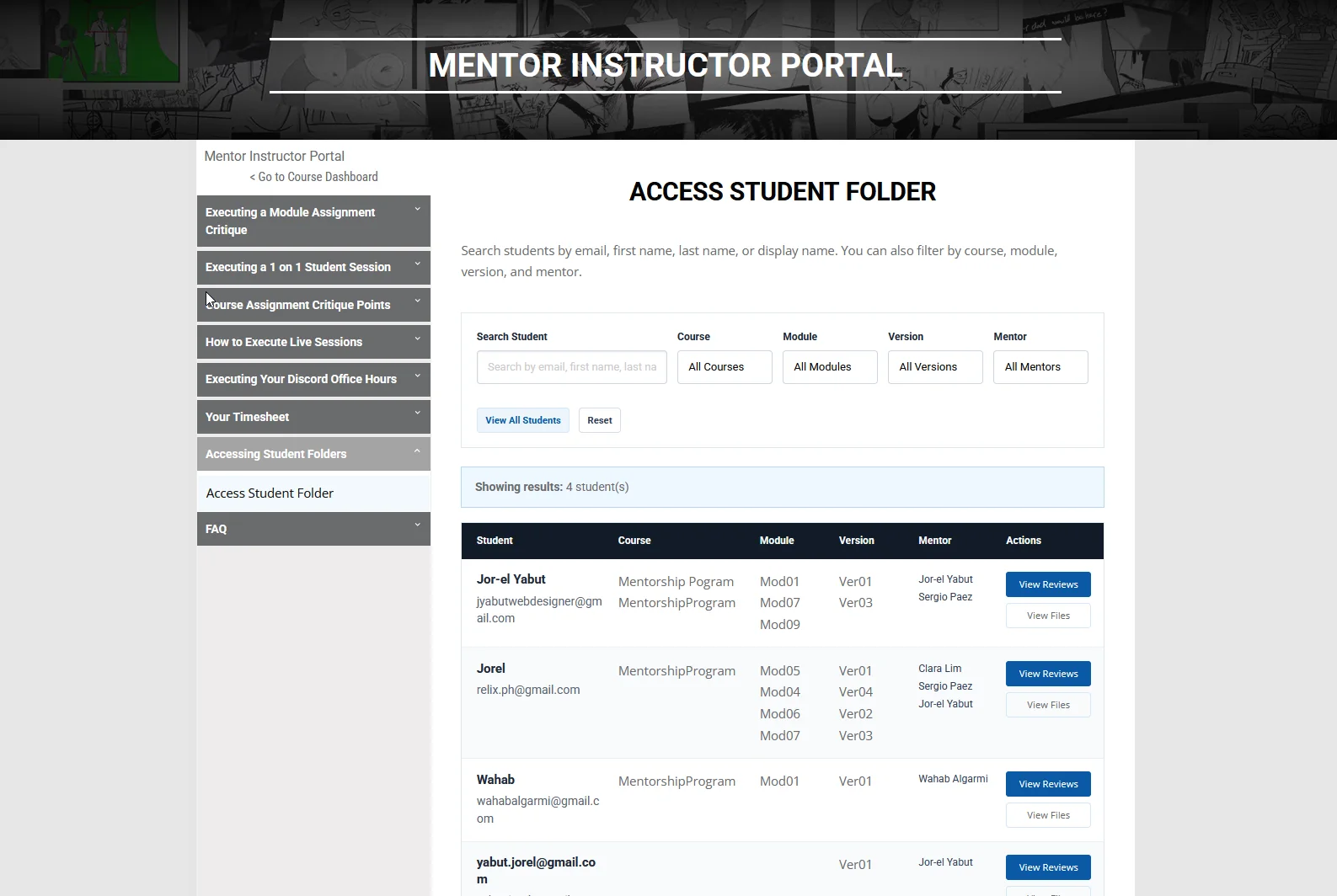
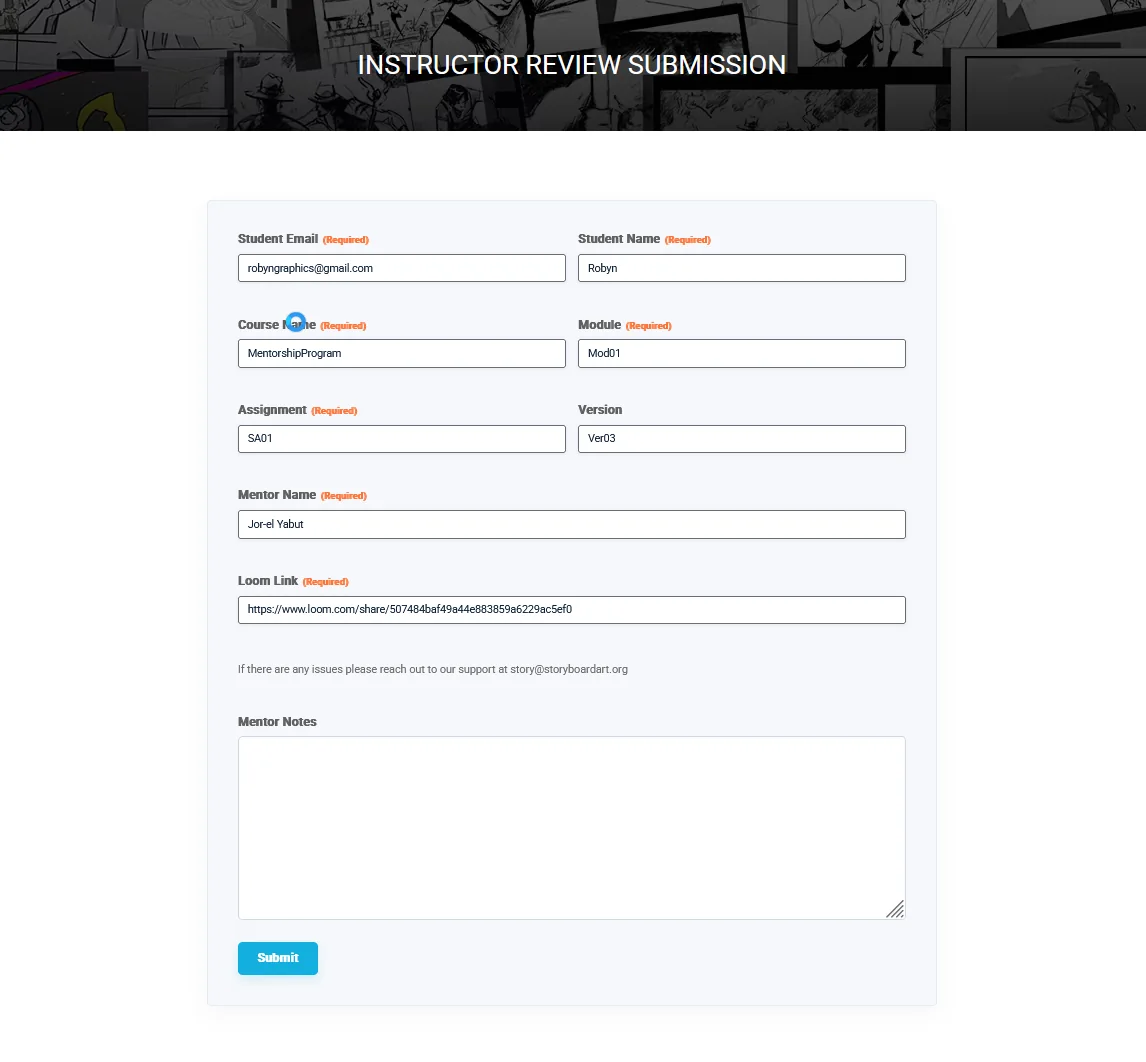
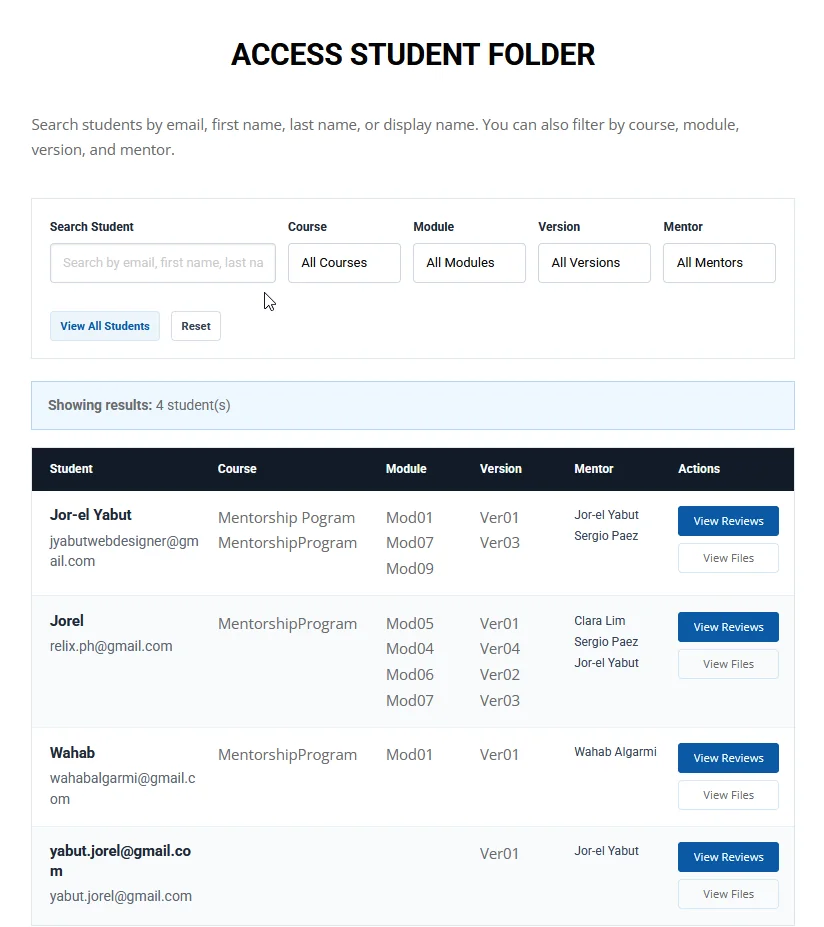
For finding previous work, I built search and filter tools for mentors and admins. These let them locate a student’s submissions and reviews without starting a separate search in each tool.
Checking the complete flow
I tested the submission and review process across student, mentor, and admin views.
That included invalid filenames, revision progression, submission confirmations, file previews, mentor assignment, feedback publishing, and account access.
I also added a processing message for feedback that was still being published, so users had an explanation while the system finished.
The result
Student assignment files are stored in Google Drive, with submissions, mentor tasks, and feedback connected through WordPress and the team’s existing tools.
Students can revisit their work and reviews. Mentors receive the assignment context with their tasks, and admins can trace the related records.
Moving uploads off the hosting server addressed the storage requirement. A lower hosting tier was a goal of the project; hosting savings were not measured in this case study.
What I learned
This project started with file storage, but it involved much more than changing where files were saved.
I had to follow what happened after each upload: where the files went, who received the task, how the review was published, and how the student found it again.
Working through those steps helped me spot problems that would have been easy to miss by looking at the upload form alone.
Technical details
Explore the implementation and process diagrams
Reusable upload form
I built a custom shortcode that supplies the course, module, assignment, and revision details to a reusable Gravity Form. This let the same uploader support different assignments.
Student and mentor views
Custom WordPress views provide submission history, file previews, mentor search, and feedback. Access checks control which records each user can view.
The viewers also handle different file-link formats from older submissions, keeping historical records accessible.
Submission and review automation
Zapier connects the form submissions with Google Drive, Asana, Google Sheets, and notifications.
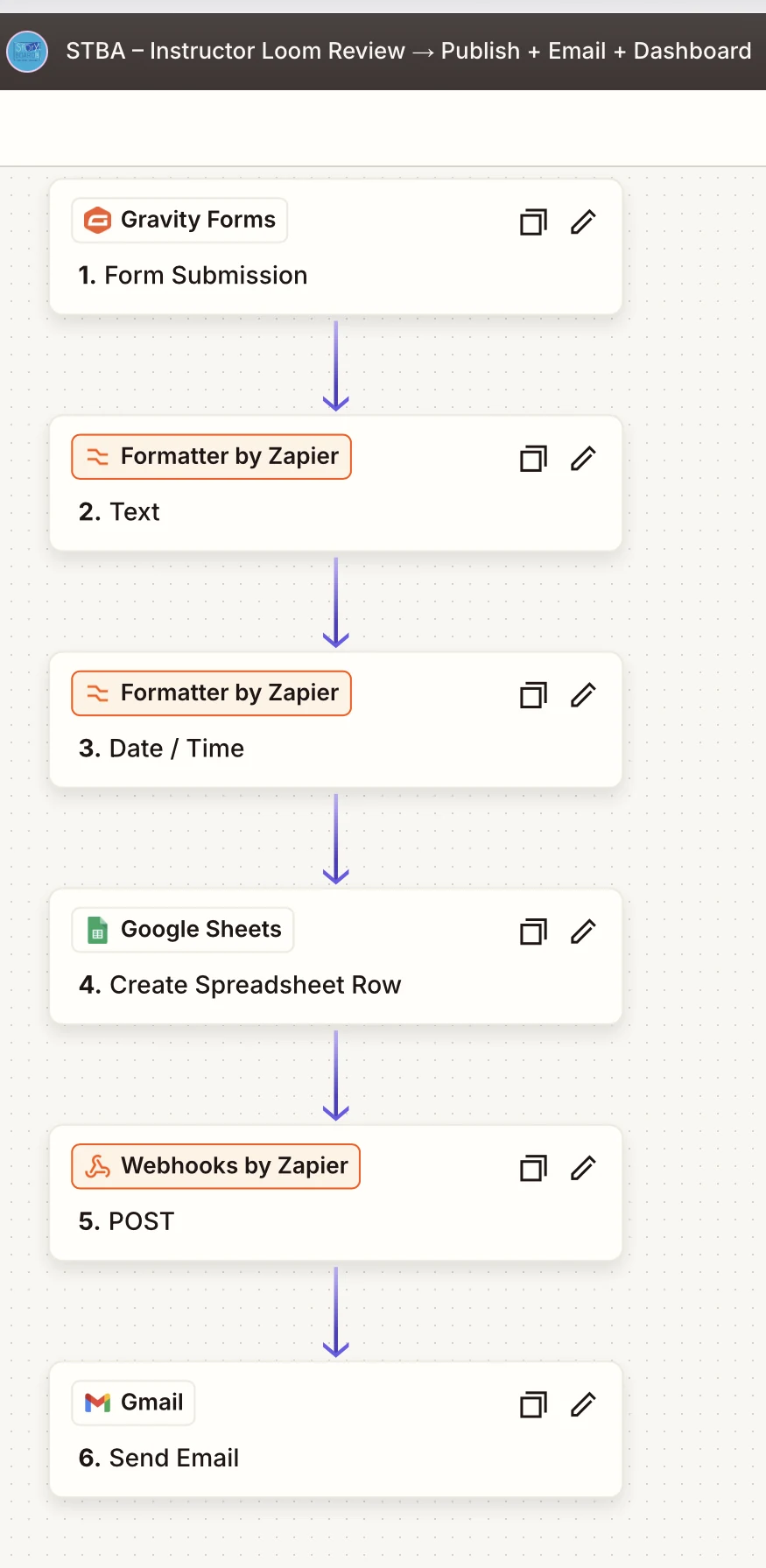
A separate review workflow records the mentor’s response, sends the feedback to WordPress through a webhook, and emails the student.
Existing student folders
I also supported linking student accounts to existing Google Drive folders. This required matching exact folder IDs, since names alone could lead to duplicates.
Process diagrams
The wireframes shown here were reconstructed from the production workflow to explain the screens, states, and handoffs.


Full screenshot gallery.
The finished screens, from the first upload to the mentor’s response. Select any image to enlarge it.
Student uploader
Submission history
Mentor workspace & feedback
Connected workflows
The uploader in action.
Have a WordPress workflow that needs simplifying?
I can help connect your website, forms, files, and everyday tools.
Discuss your project